
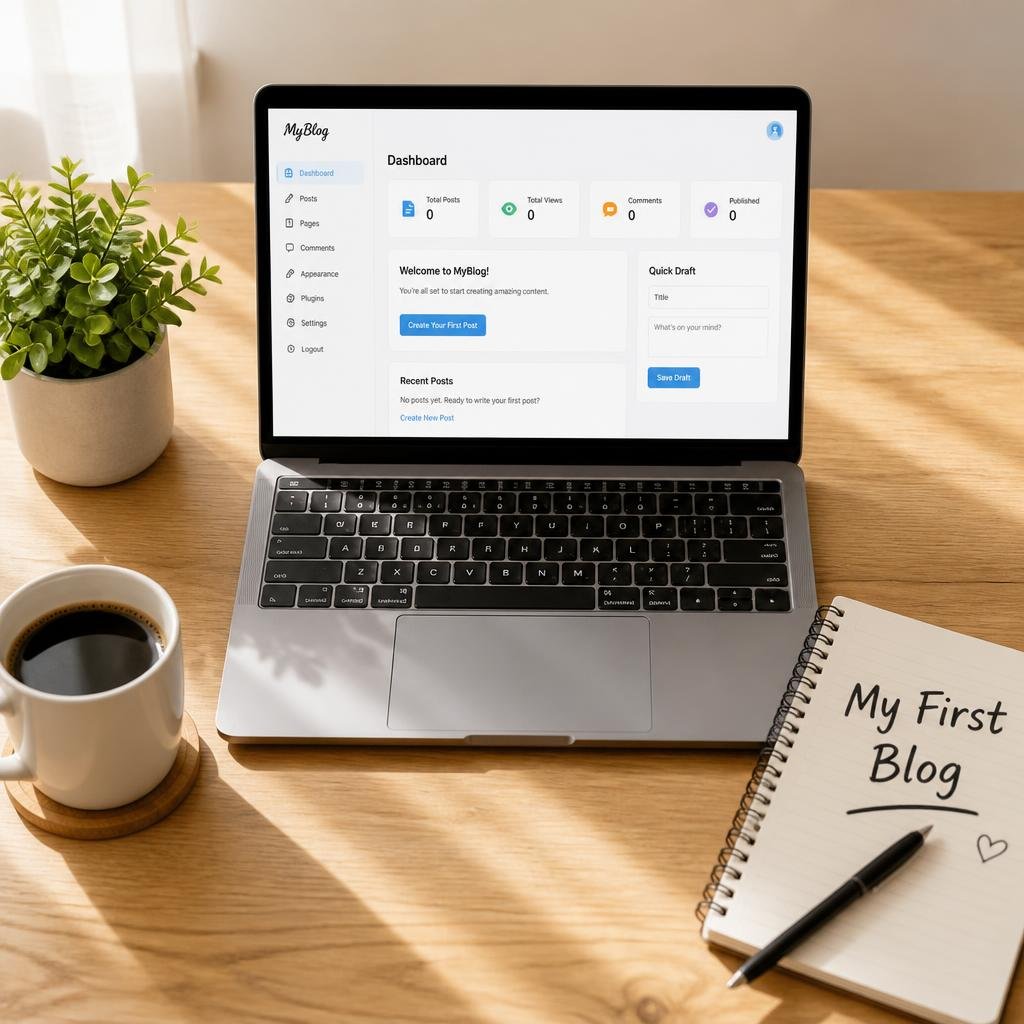
If you are searching for how to start a blog for beginners, you are in the right place. Eight years ago I sat in front of my laptop at midnight with no technical skills, no budget, and no idea what a “hosting provider” was. I typed this exact question into Google and got overwhelmed by confusing advice. Some guides told me to buy expensive tools. Others skipped half the steps. None of them mentioned the mistakes that cost me months of work.
This guide on how to start a blog for beginners is the one I wish I had back then. It is a complete, step-by-step walkthrough based on what I have learned from running multiple blogs, failing with some of them, and finally building ones that earn consistent traffic and income. By the end, you will know exactly how to launch your first blog, even if you have never touched a website before.
Why Learn How to Start a Blog for Beginners From Me?
Let me be upfront about who is teaching you. I have been blogging for eight years. My first blog was a personal food diary that got 14 visitors in its first month, and 9 of them were my family. My second blog, a budgeting site, collapsed after four months because I picked a topic I didn’t care about. My third blog finally grew to over 60,000 monthly visitors, and it taught me nearly everything I share here.
I’m not telling you this to brag. I’m telling you because the best way to learn how to start a blog for beginners is from someone who has already made the mistakes and can save you from repeating them. Throughout this article, I will share real examples from my journey so you can see what works and what doesn’t.
Is Blogging Still Worth It? (An Honest Answer)
Before we get into the steps, you probably want to know whether blogging is still worth your time. Short answer: yes, but only if you do it right.
People say blogging is dead every year. Yet blogs still drive a huge share of search traffic, build personal brands, and generate income through ads, affiliate links, digital products, and services. A blog is one of the few online assets you fully own. Social media accounts can be banned or lose reach overnight, but your blog stays yours.
The catch is that blogging rewards patience. Learning how to start a blog for beginners takes an afternoon. Growing it takes months. If you want to get rich in 30 days, blogging isn’t for you. If you want a long-term asset that grows with you, keep reading.
Step 1: Choose Your Blog Niche (The Foundation of How to Start a Blog for Beginners)
Every guide on how to start a blog for beginners should begin with the niche, because it is the decision that shapes everything else. A niche is the specific topic your blog focuses on, like personal finance for freelancers, vegan meal prep, or beginner photography.
My mistake: My budgeting blog failed because I chose it purely for the money. Finance pays well, I thought. But I found the topic boring, and by month three I dreaded writing. Readers can sense that. My traffic stalled, and I quit.
When I started my third blog about home workouts, which was something I genuinely did every morning, writing felt effortless. That energy showed in the content.
Use this simple three-part test to choose a niche:
- Interest: Could you write about it for the next three years without getting bored?
- Experience: Do you have knowledge, stories, or lessons to share?
- Demand: Are other people searching for it? (Check with Google Trends or by typing your topic into Google and looking at the suggestions.)
If your idea passes all three, you have a winner. Don’t go too broad. “Health” is too wide, but “home workouts for busy mothers” is specific enough to stand out.
Step 2: Pick a Blog Name and Domain
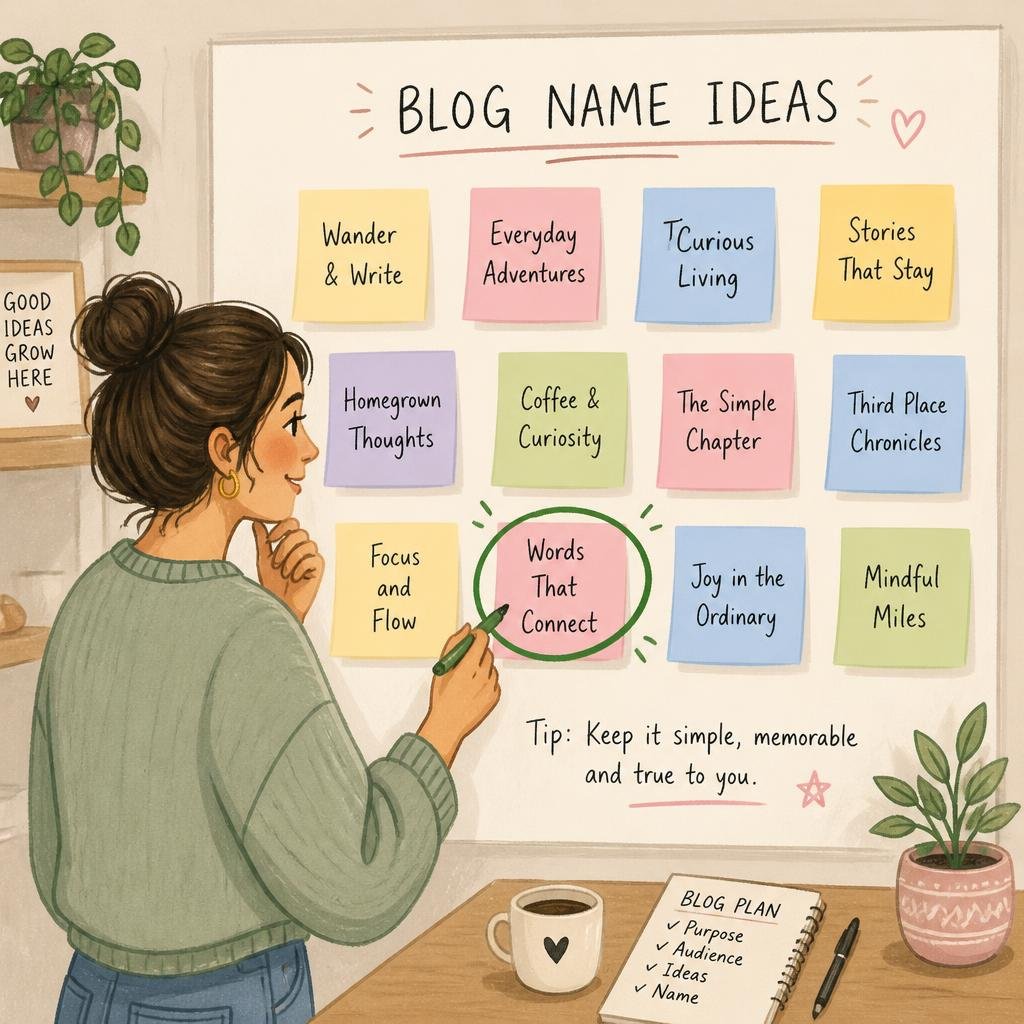
Your blog name is your first impression. When I was figuring out how to start a blog for beginners the first time, I spent two weeks agonizing over names. That was far too long.
Here are the rules I follow now:
- Keep it short. Two or three words is ideal.
- Make it easy to spell and say. If you have to spell it out over the phone, it’s too complicated.
- Avoid numbers and hyphens. They cause confusion.
- Choose .com when possible. It’s the most trusted extension.
- Don’t box yourself in. A name like “VeganCupcakesDaily” is a problem if you later want to write about all vegan food.
My mistake: My second blog had a name with a hyphen. People kept typing it without the hyphen and landing on a competitor’s site. I lost traffic for years before fixing it.
Use a domain checker through your hosting provider or a registrar to see whether your name is available. If it’s taken, try adding a word like “hub,” “guide,” or “lab,” or change the order of the words.
Step 3: Choose the Right Blogging Platform
This is where many beginners get stuck, and I understand why. There are dozens of platforms, and each one claims to be the best.
Here is the honest breakdown:
- WordPress.org (self-hosted): The most flexible and powerful option. You own everything. This is what I use and recommend for anyone serious about blogging.
- WordPress.com: Easier to start, but the free plan is limited and you can’t monetize freely.
- Blogger: Free and simple, but limited in design and growth options.
- Wix and Squarespace: Beautiful and easy, but they cost more over time and offer less control for SEO.
- Medium: Good for writing, but you don’t own the audience.
My mistake: I started my very first blog on a free platform. After a year of writing 80 posts, I wanted to move to my own hosting, and the migration was a nightmare. Links broke, images disappeared, and I lost around 30% of my traffic.
So when people ask me how to start a blog for beginners the smart way, my answer is always the same: start with self-hosted WordPress from day one. It costs a little at the beginning, but it saves you from painful migrations later.
Step 4: Get Web Hosting and Install WordPress
To create a self-hosted blog, you need two things: a domain name (your address) and web hosting (the land your site sits on).
Many beginners fear this step, but it’s much easier than it sounds. Here’s how it works:
- Choose a reliable hosting provider. Look for good uptime, fast support, a free SSL certificate, and one-click WordPress installation. Popular beginner-friendly options include Bluehost, SiteGround, and Hostinger.
- Pick a plan. The cheapest shared hosting plan is perfectly fine for a new blog. You can upgrade later when your traffic grows.
- Register your domain. Many hosts give you a free domain for the first year.
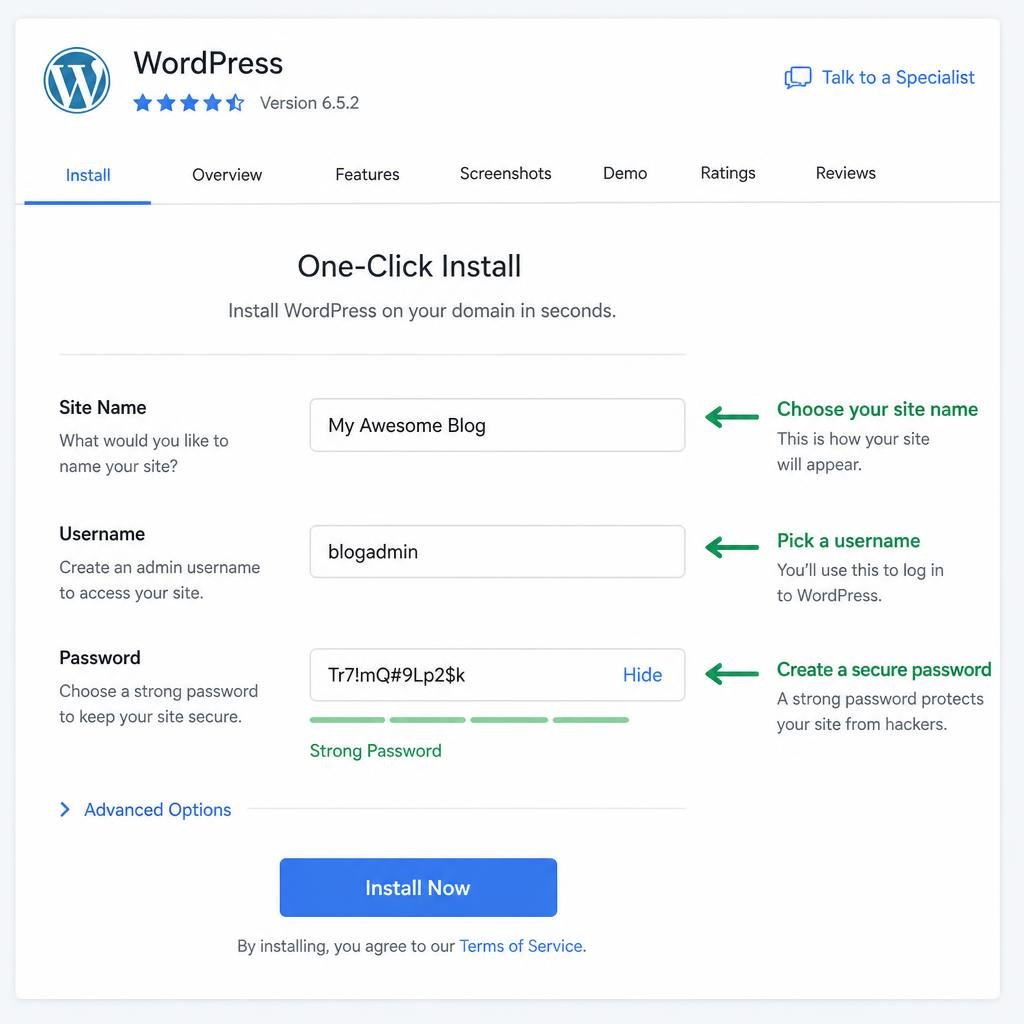
- Install WordPress. Most hosts have a one-click installer. You’ll fill in your site name, username, and password, and in under five minutes you’ll have a live website.
My mistake: For my second blog, I bought the cheapest hosting I could find from a company I’d never heard of. My site went down at least twice a month, and customer support took days to reply. I learned that saving $3 a month isn’t worth losing readers. Pay a little more for dependable hosting.
This hosting step is where the practical side of how to start a blog for beginners becomes real, so take your time and write down your login details somewhere safe. I once locked myself out of a site for two days because I forgot my password and used an email I no longer had access to.
Step 5: Choose a Theme and Design Your Blog
Once WordPress is installed, you’ll see a dashboard. Don’t panic. You only need a few areas: Posts, Pages, Appearance, and Plugins.
Start with your theme, which controls how your blog looks. Here’s my advice:
- Choose a lightweight, fast theme. Astra, GeneratePress, and Kadence are all beginner-friendly and free to start.
- Keep the design simple. White background, readable fonts, and clear navigation beat flashy animations every time.
- Make sure it’s mobile-friendly. More than half of all visitors will read your blog on a phone.
My mistake: On my third blog, I spent three full weeks tweaking colors, fonts, and layouts before I wrote a single post. I had a beautiful blog with zero content. Don’t do this. Design matters, but content is what attracts readers. Spend a weekend on your design and move on.
If you’re learning how to start a blog for beginners, remember that your first design doesn’t need to be perfect. You can improve it as you learn what your readers like.
Step 6: Set Up Essential Pages and Plugins
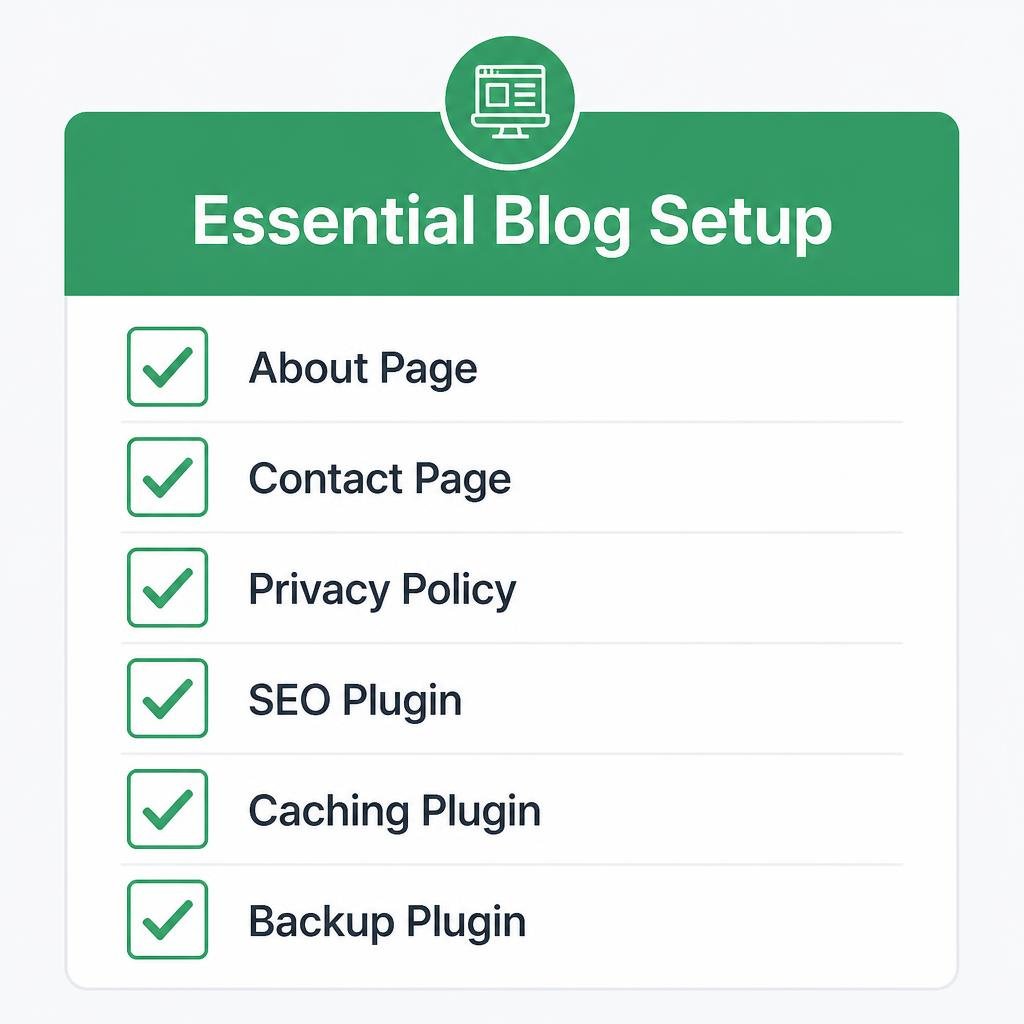
Every professional blog needs a few core pages. Create these before you start publishing:
- About page: Tell your story and why readers should trust you. This is often the second most visited page on a blog.
- Contact page: Let readers and brands reach you.
- Privacy Policy and Disclaimer: Required if you collect data or use affiliate links.
- Blog page: Where your latest posts appear.
Then install a small set of plugins. Resist the urge to install twenty. Each extra plugin can slow your site down.
Here are the essentials I use on every new blog:
- Rank Math or Yoast SEO: For on-page SEO guidance.
- A caching plugin (like LiteSpeed Cache or WP Rocket): For speed.
- Akismet or a similar anti-spam tool: To block spam comments.
- An image compression plugin: To keep pages fast.
- A backup plugin: Trust me, you’ll thank me later.
My mistake: I once ran a blog with 31 plugins. The site took nine seconds to load, and my bounce rate was awful. After I deleted the unnecessary ones, load time dropped to under two seconds and my rankings improved within weeks.
Step 7: Do Keyword Research Before You Write
This is the step that separates blogs that grow from blogs that stay invisible. Many guides on how to start a blog for beginners skip keyword research entirely, and I think that’s a serious mistake.
Keyword research means finding out what people actually type into Google, so you can write articles that match their searches.
Here is my simple process:
- Brainstorm topics related to your niche.
- Use Google’s autocomplete and “People also ask” boxes to find real questions.
- Use free tools like Google Keyword Planner, Ubersuggest (limited free searches), or AnswerThePublic.
- Target low-competition keywords first. Long, specific phrases like “how to start a blog for beginners step by step” are easier to rank for than short, broad ones.
- Check the search intent. Look at what’s ranking. If the top results are how-to guides, write a how-to guide.
My mistake: For my first two years, I wrote about whatever I felt like. I published over 100 posts and wondered why nobody visited. When I finally started doing keyword research, a single post targeting a specific question brought me more traffic in one month than my old posts brought in a year.
Step 8: Write Your First Blog Posts
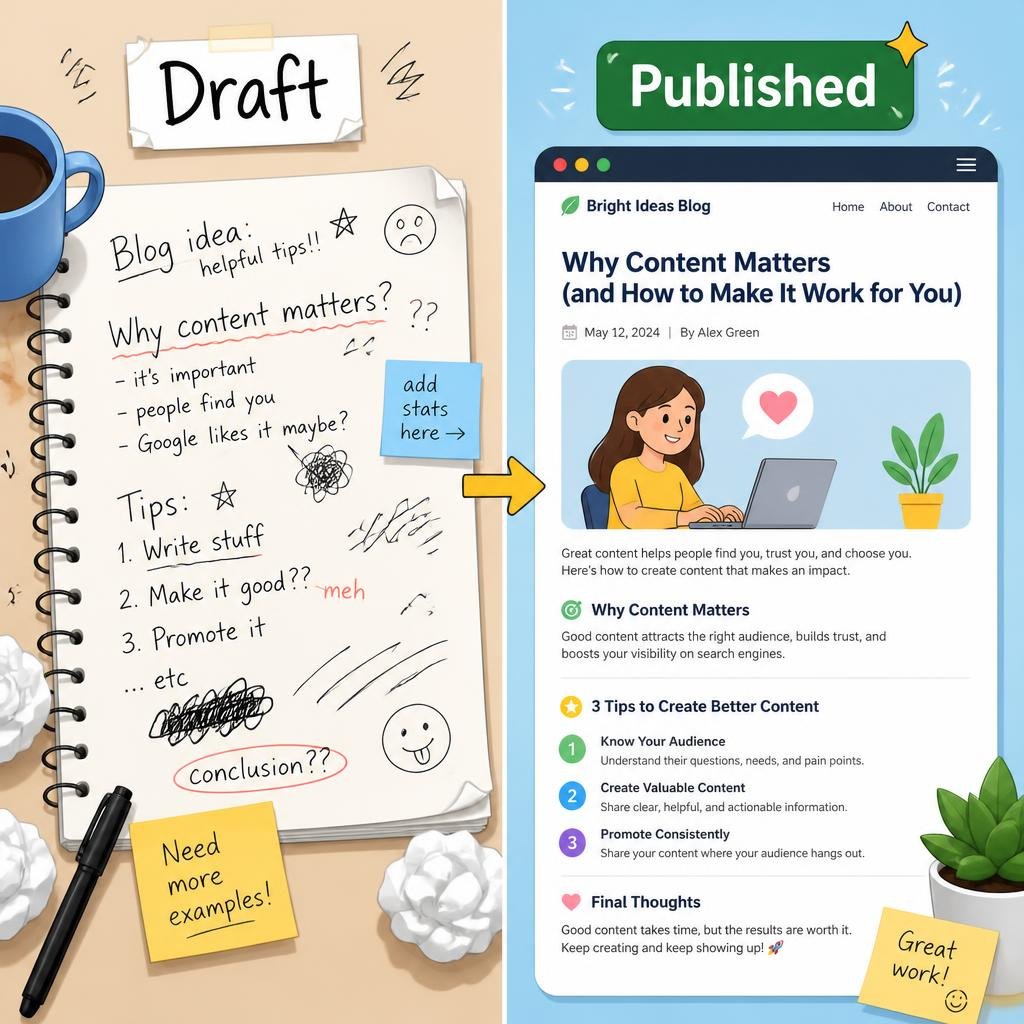
Now comes the fun part. Writing your first posts can feel intimidating, but here’s the truth: your first posts will not be your best, and that’s okay. Mine were embarrassing. I still have them archived as a reminder of how far I’ve come.
Follow this structure for every post:
- A clear, keyword-focused title. Include your main keyword naturally.
- A short, engaging introduction. Tell the reader what they’ll learn.
- Headings and subheadings (H2, H3). They make your post easy to scan.
- Short paragraphs. Two to four lines is plenty. Big walls of text drive readers away.
- Personal stories and examples. These build trust and make you different from AI-generated content and copycat blogs.
- A strong conclusion with a next step. Tell readers what to do next.
For your first month, aim to publish 8 to 10 posts. I recommend a mix:
- 3 to 4 “how-to” tutorials
- 2 to 3 list posts
- 1 to 2 personal story posts
- 1 pillar post (a long, detailed guide)
Don’t aim for perfection. Aim for helpful. If you’re following this guide on how to start a blog for beginners, your goal is to publish consistently, learn from the results, and improve with every post.
My mistake: I used to spend a week on a single article, rewriting it again and again. Then I’d never hit publish. Perfectionism killed my momentum. Now I give myself a deadline, write a solid draft, edit once, and publish.
Step 9: Optimize Every Post for SEO
SEO (search engine optimization) is how you help Google understand and rank your content. Don’t be scared of the term. For beginners, a handful of habits covers most of what matters.
Here is the on-page SEO checklist I use before every post goes live:
- Put your focus keyword in the title, the first paragraph, at least one subheading, and the URL.
- Write a compelling meta description under 160 characters.
- Use short, clean URLs. For example,
/how-to-start-a-blog-for-beginnersis better than/2026/10/post-1234. - Add alt text to every image.
- Link internally to your other related posts.
- Link externally to trustworthy sources when it helps the reader.
- Compress your images so pages load fast.
- Make sure the post is mobile-friendly.
The big lesson about how to start a blog for beginners with SEO in mind is this: write for humans first, search engines second. Google rewards helpful, original, experience-based content. Stuffing keywords unnaturally will hurt you, not help you.
My mistake: Early on, I over-optimized. I repeated the same keyword in nearly every sentence and wondered why my rankings dropped. Once I wrote naturally and used the keyword where it fit, my posts started climbing the search results.
Step 10: Promote Your Blog and Get Your First Readers
You can write the best article in the world, but if nobody knows it exists, nobody will read it. Promotion is the part most beginners underestimate.
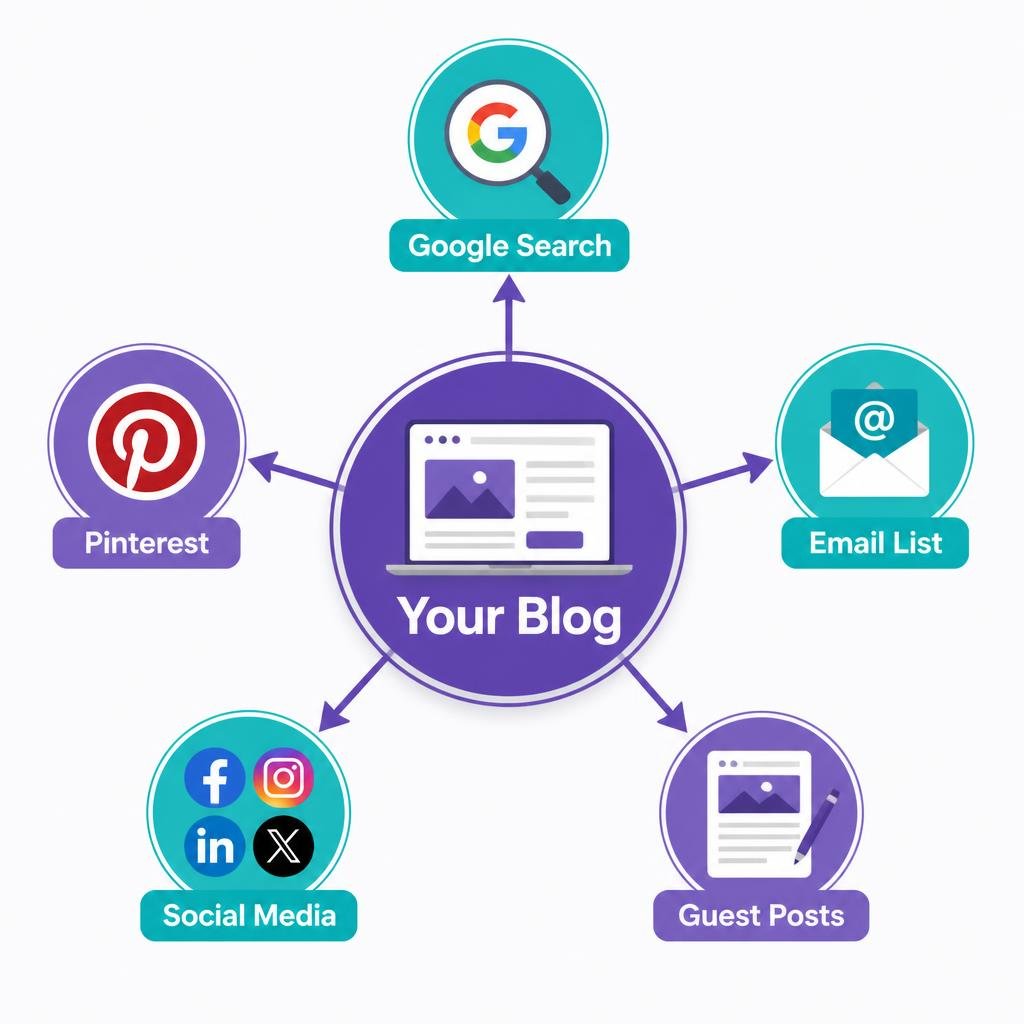
Here are the methods that worked best for me:
- Pinterest: Excellent for lifestyle, food, travel, and DIY niches. One of my pins brought in thousands of visitors for years.
- Search traffic (SEO): Slow to start, but the most sustainable source.
- Social media: Choose one or two platforms where your audience hangs out. Don’t try to be everywhere.
- Email list: Start building it from day one. It’s the only audience you truly own.
- Guest posting and networking: Connect with other bloggers in your niche and offer helpful content.
- Online communities: Share your expertise in forums and groups without spamming links.
My mistake: I ignored email for my first four years. When Google changed its algorithm and my traffic dropped by 40% overnight, I had no way to reach my readers. Now I tell everyone: start your email list on day one, even if it only has five subscribers.
Remember, this part of how to start a blog for beginners takes time. My first 100 email subscribers took five months. My next 1,000 took three. Growth compounds.
Once your first posts are live, connect your blog to Google Search Console to see which keywords bring visitors and whether Google has indexed your pages. Then add Google Analytics to track how many people visit, where they come from, and which posts they read most.
Step 11: Learn How Bloggers Make Money
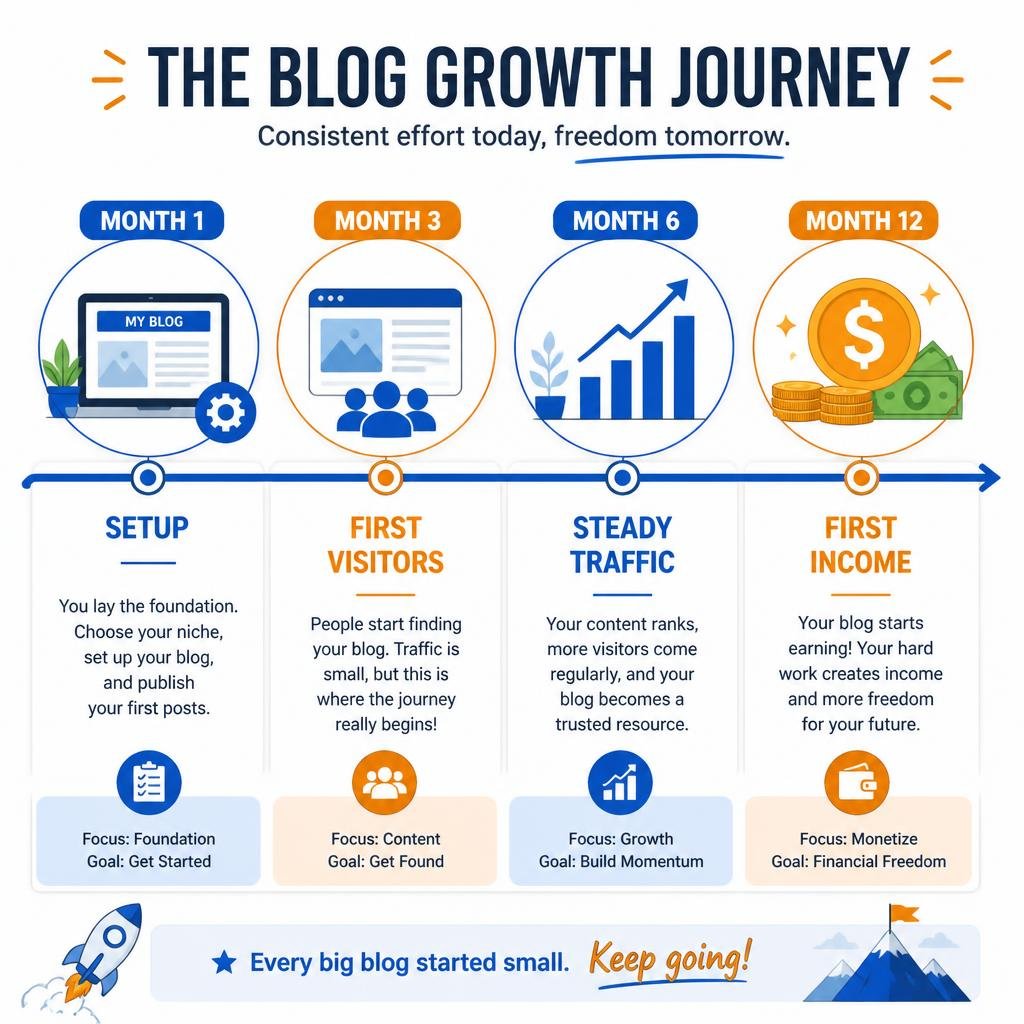
Let’s talk about the question every beginner secretly asks: can I make money from this? Yes, but not immediately. Most blogs take 6 to 12 months to earn their first meaningful income.
Here are the main ways bloggers earn:
- Affiliate marketing: Recommending products and earning a commission when readers buy. This was my first real income source.
- Display ads: Networks like Google AdSense, Ezoic, and Mediavine pay you for ad impressions. Premium networks usually require a minimum traffic level.
- Digital products: E-books, templates, printables, and courses.
- Services: Freelance writing, coaching, or consulting built on your blog’s authority.
- Sponsored posts: Brands pay you to feature their products.
My first blog income was $23 in affiliate commissions, after seven months of work. I was thrilled. Two years later, that same blog was earning four figures a month. The lesson? Don’t judge your progress by your first few months.
Whenever someone asks me how to start a blog for beginners and make money, I tell them to focus on building trust and traffic first. Income follows trust.
Biggest Mistakes to Avoid When Learning How to Start a Blog for Beginners
After eight years, I’ve seen the same mistakes repeated again and again, including by me. Avoid these:
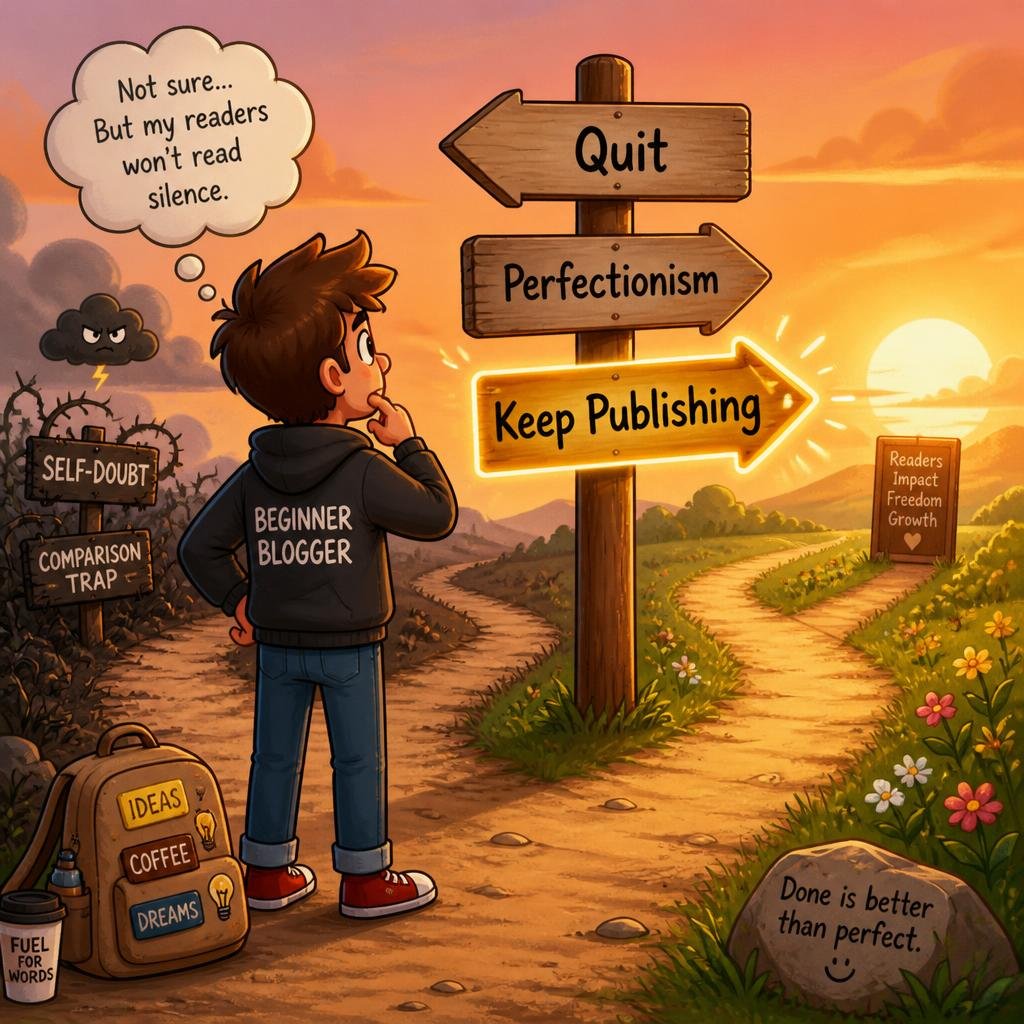
- Quitting too early. Most blogs die within six months. The ones that survive are the ones that keep publishing.
- Choosing a niche for money only. Passion keeps you going when traffic is slow.
- Ignoring SEO. Great content without SEO is hard to find.
- Copying other blogs. Your unique voice and experiences are your advantage.
- Publishing inconsistently. Pick a realistic schedule, such as one or two posts a week, and stick with it.
- Obsessing over stats. Checking analytics ten times a day won’t speed anything up.
- Skipping an email list. You’ll regret it when algorithms change.
- Neglecting backups and security. I once lost three months of work to a hacked site with no backup. Never again.
Frequently Asked Questions About How to Start a Blog for Beginners
How much does it cost to start a blog?
You can launch a self-hosted blog for roughly $3 to $15 per month for hosting, plus around $10 to $15 per year for a domain if it isn’t included free. Optional extras like premium themes or email tools can be added later.
Do I need technical skills?
No. I had none when I started. WordPress is built for beginners, and most tasks involve clicking buttons and typing. Everything else you can learn by doing.
How long does it take to start earning from a blog?
Most bloggers see their first income between 6 and 12 months in, if they publish consistently and learn basic SEO. Some are faster, many are slower. Patience is part of the process.
How often should I post?
Quality beats quantity. One well-researched post per week is better than five rushed ones. Start with what you can sustain for at least a year.
Can I start a blog for free?
You can, using platforms like Blogger or WordPress.com’s free plan. But free platforms limit your growth and monetization. For serious results, I recommend self-hosting.
Is it too late to start a blog?
Not at all. People trust real experience and a genuine voice more than ever, and that’s something no one can copy.
Final Thoughts on How to Start a Blog for Beginners
Learning how to start a blog for beginners is not complicated, but it does require patience and consistency. To recap, here are the steps:
- Choose a niche you genuinely care about.
- Pick a simple, memorable blog name.
- Use self-hosted WordPress.
- Get reliable hosting and install WordPress.
- Choose a fast, clean theme.
- Set up your essential pages and plugins.
- Do keyword research before writing.
- Publish helpful, personal content.
- Optimize every post for SEO.
- Promote your blog and build an email list.
- Explore monetization once you have traffic.
I’ve been where you are right now, staring at a blank screen, unsure if it’s worth trying. It was. My blogs changed my career, my income, and my confidence. Yours can do the same if you start today and keep going.
Don’t wait for the perfect moment, perfect name, or perfect design. Take the first step this week: choose your niche and register your domain. Then come back to this guide for how to start a blog for beginners whenever you need a refresher.
Your future readers are already searching for what you have to say. Go give them a reason to find you.